
PC System Requirements
A mobile-readable comparison of the corrected launch PC specification.
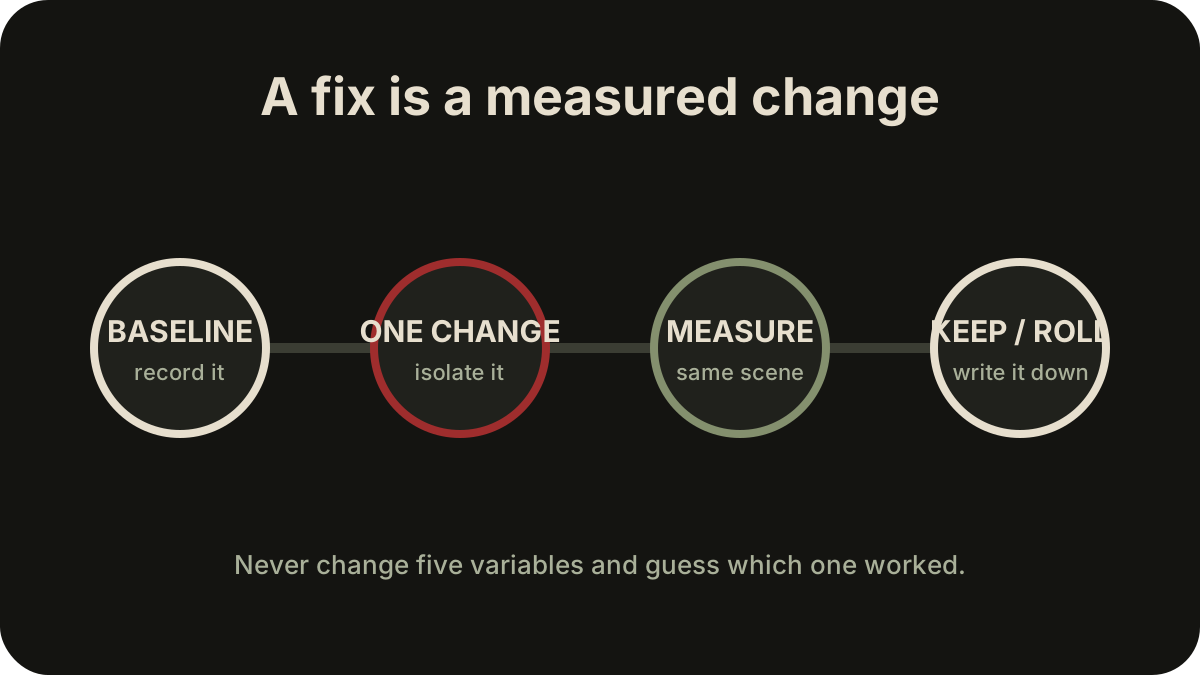
Table of contents
Corrected launch specification
The launch PC specification targets two 1080p profiles and assumes upscaling in both. It was corrected before release, so compare against the current rows below rather than an older preview graphic.
| Component | Minimum | Recommended |
|---|---|---|
| OS | Windows 10 or Windows 11 | Windows 11 |
| CPU | Intel Core i5-8400 or AMD Ryzen 5 3600 | Intel Core i7-12700K or AMD Ryzen 7 5800X |
| Memory | 16 GB RAM | 16 GB RAM |
| GPU | NVIDIA GeForce GTX 1070 8 GB or AMD Radeon RX 580 8 GB | NVIDIA GeForce RTX 3060 12 GB or AMD Radeon RX 6700 XT 12 GB |
| DirectX | Version 12 | Version 12 |
| Storage | 45 GB available space | 45 GB available space |
| Drive | SSD required | SSD required |
| Target | Low, 1920×1080, 40 fps | Medium, 1920×1080, 60 fps |
| Upscaler assumption | DLSS Performance on RTX 20–50 series, or FSR 1 Performance | DLSS Performance or FSR 3 Performance |
Read the target, not only the hardware names
The minimum row is not a claim of native-resolution 60 fps. Its stated target is 1080p at 40 fps on Low with a Performance upscaler. The recommended row targets 1080p at 60 fps on Medium, also with an upscaler. If you compare your GPU while ignoring those assumptions, you will overestimate what the row promises.
The minimum row's DLSS note applies to supported RTX hardware; the listed GTX 1070 does not provide DLSS. FSR is the relevant listed path for non-RTX hardware. Always confirm which option is actually active after restarting the game.
Pre-install checklist
- Keep at least 45 GB free on an SSD, plus working room for updates and shader/cache behavior.
- Confirm Windows and the GPU driver recognize the intended dedicated GPU.
- Close unnecessary memory-heavy applications if your system has exactly 16 GB.
- Note your monitor resolution and refresh rate before choosing a frame cap.
- Record the starting display mode, resolution, upscaler, quality preset, and frame cap.
- Confirm that the settings remain selected after a restart.
The last two steps matter because a player-reported problem can be a settings-persistence issue rather than a raw hardware limit.
If your PC sits between the rows
Begin with the recommended row's method, not necessarily its Medium preset: 1080p, one upscaler choice, a repeatable scene, and a measurable frame target. Lower one expensive setting or target at a time. Do not mix a resolution change, upscaler change, frame-generation change, and driver change into one test.
The launch specification does not publish 1440p, 4K, ultrawide, handheld, or ray-tracing targets. A 4K result cannot be inferred by scaling the 1080p row. One launch test on a Radeon RX 9060 XT 16 GB system needed FSR 3 and reduced settings to approach 60 fps at 4K; that is useful context for that configuration, not a general benchmark.
Next step after the comparison
If your system clearly misses the minimum CPU, GPU, memory, SSD, or DirectX requirement, a settings checklist cannot guarantee a stable result. If your system meets the stated row but performance does not match its target conditions, continue with PC Performance & Settings Troubleshooting.
For prompt, rebinding, camera, or device-recognition problems, go directly to Controls & Input Troubleshooting. Check Current Version & Patch Status before treating any workaround as current.
Related guides
PC Performance & Settings Troubleshooting
Isolate stutter, frame-rate, upscaler, resolution, and ultrawide symptoms with reversible checks.
Read guideControls & Input Troubleshooting
Separate controller detection, glyph, rebinding, mouse, menu, camera, and lock-on problems.
Read guideCurrent Version & Patch Status
Check the public launch version, specification correction, and what is not a patch number.
Read guide